Settings
Every admin screen the plugin adds, what each setting does, and what you can change without code.
All three screens require the administrator capability (manage_options).
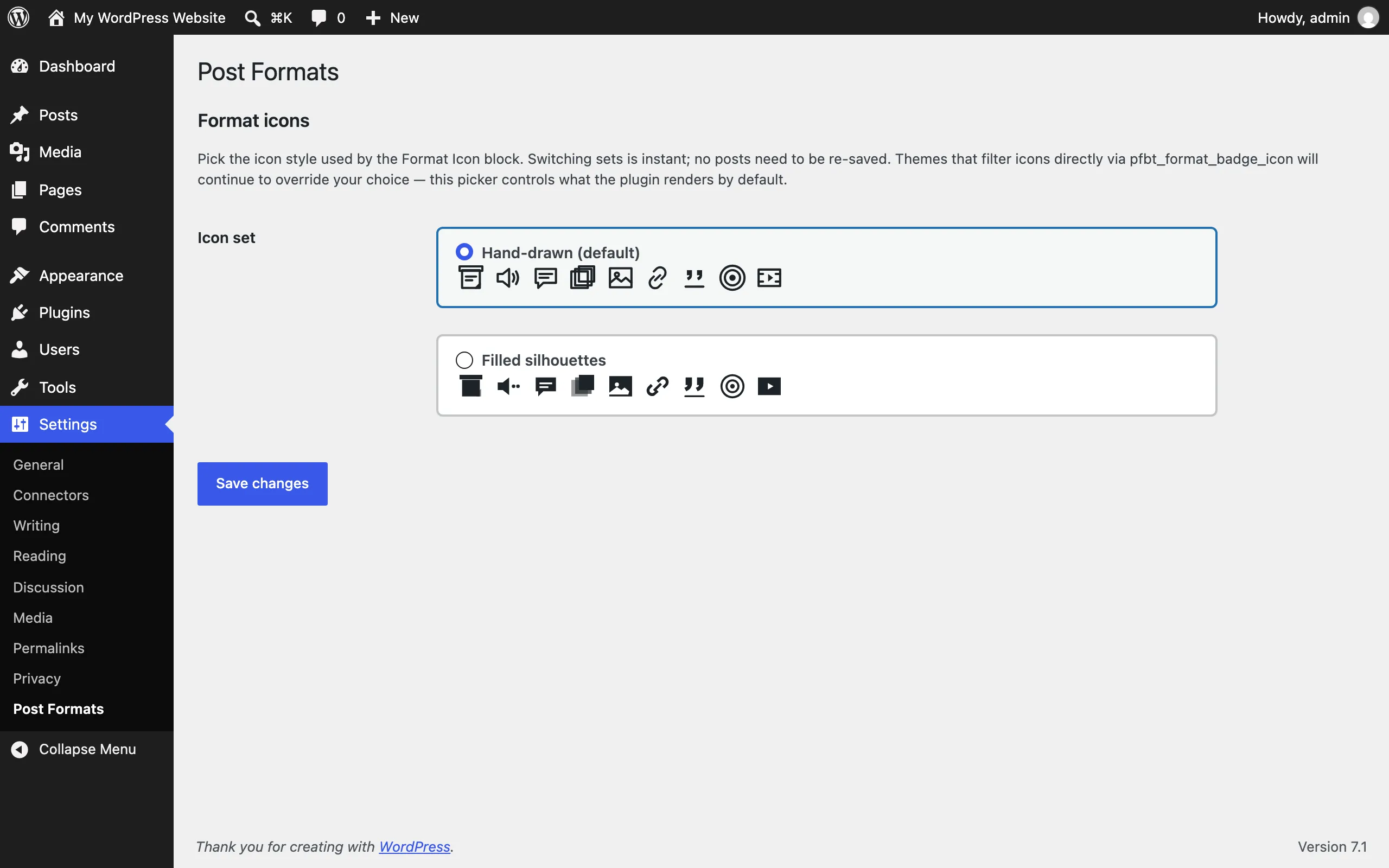
Settings → Post Formats
Section titled “Settings → Post Formats”The plugin’s options page. As of version 1.1.5 it holds one section, Format icons.
Icon set
Section titled “Icon set”- What it does: picks the icon style used by the Format Icon block (and format badges) across your site.
- Choices: Hand-drawn (default) or Filled silhouettes — a radio choice with previews.
- Default: Hand-drawn.
- When to change it: if the filled style fits your theme better. Switching is instant; no posts need to be re-saved.
- Note: a theme that filters icons directly (via the
pfbt_format_badge_iconfilter) continues to override this picker.
Tools → Post Format Repair
Section titled “Tools → Post Format Repair”A maintenance tool that scans your posts and flags format/content mismatches — for example, a post marked Chat whose first block is a plain paragraph. For each mismatch it suggests a format, and you can apply fixes one at a time or in bulk. A dry run checkbox previews changes without applying them, and a revision is created for each post before changes are applied.
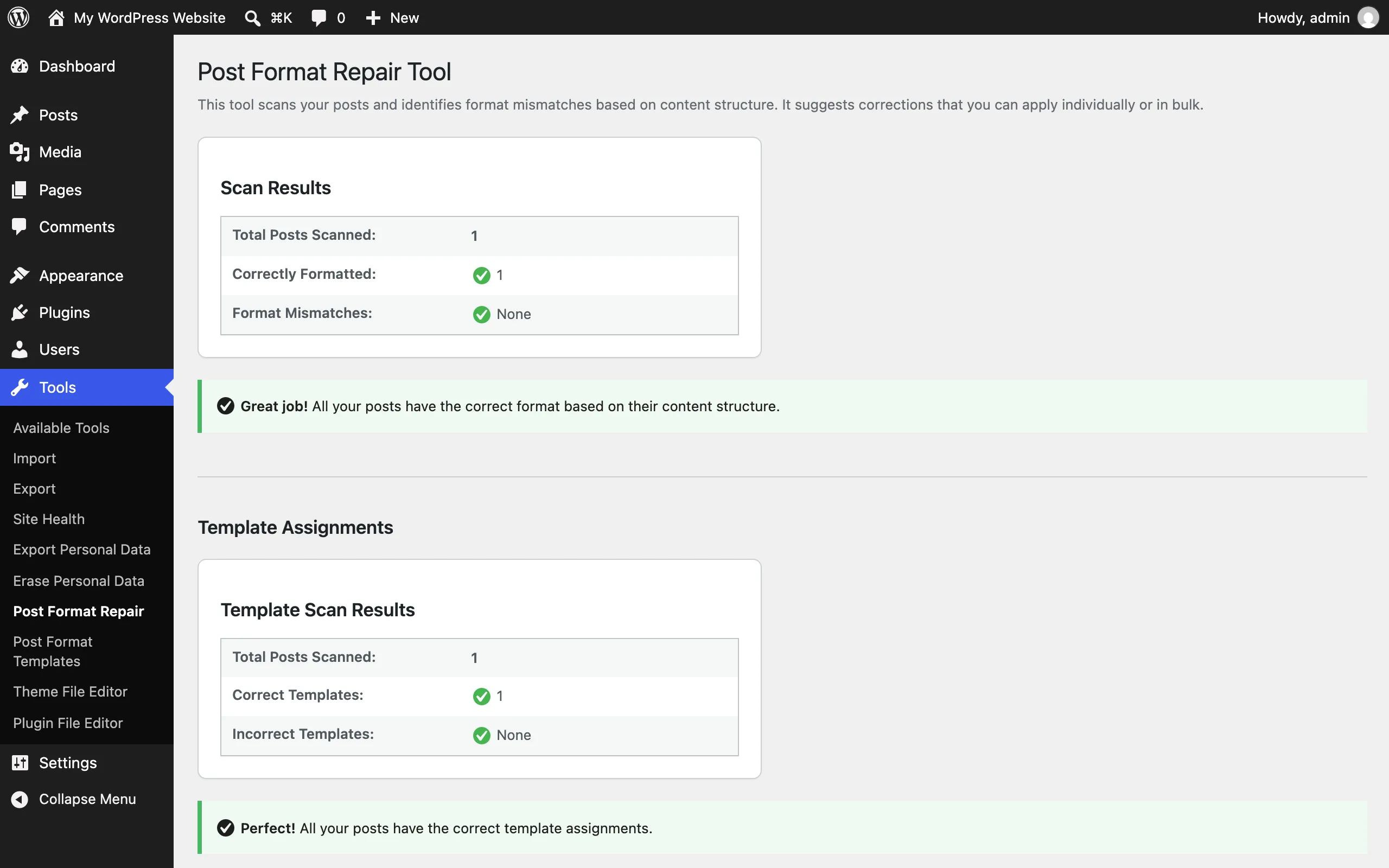
This page is also what the plugin’s “Settings” link on the Plugins screen points to.
Tools → Post Format Templates
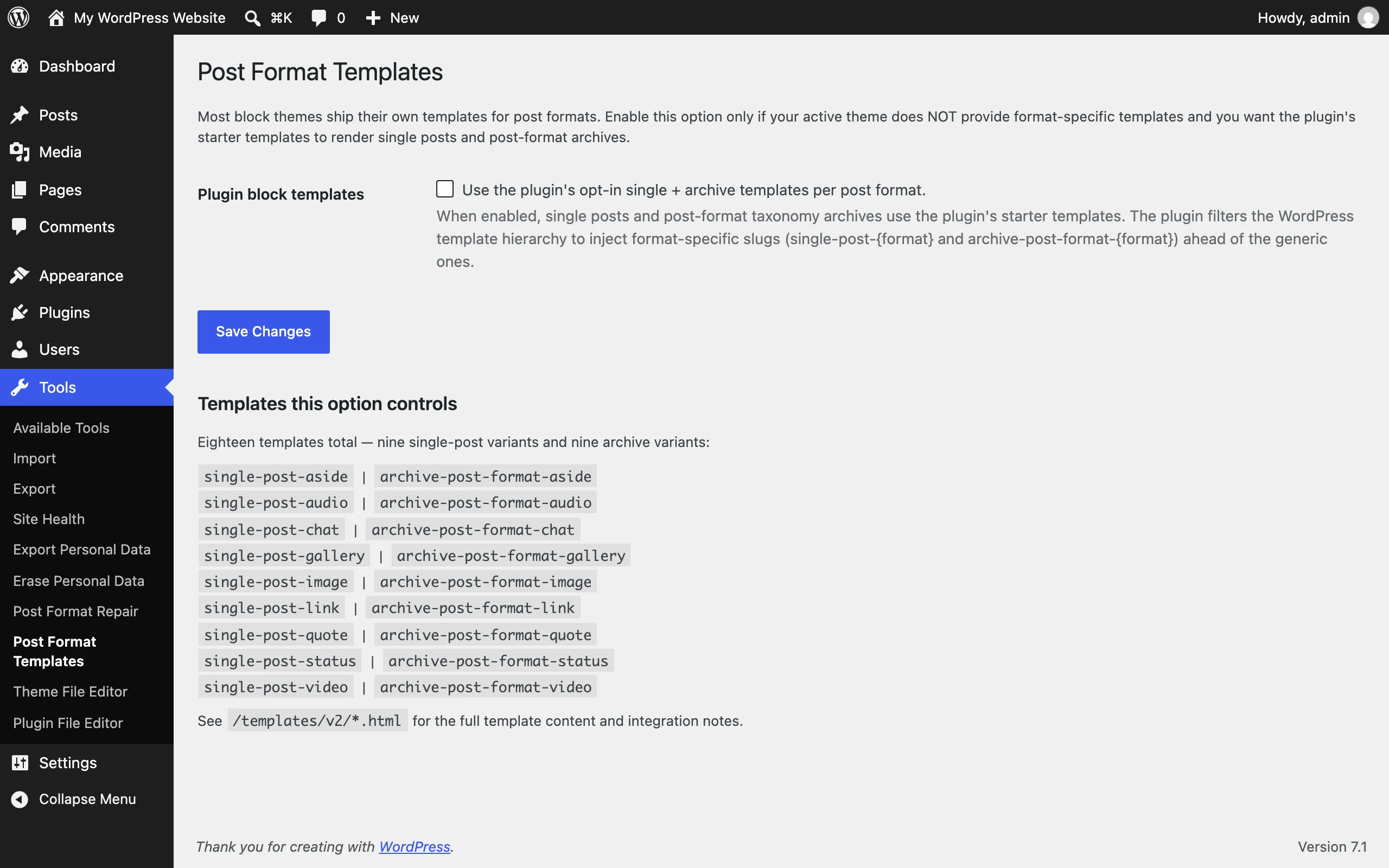
Section titled “Tools → Post Format Templates”An opt-in toggle for the plugin’s starter block templates. One checkbox: “Use the plugin’s opt-in single + archive templates per post format.”
- Default: off. When off, the plugin registers no templates and doesn’t touch the WordPress template hierarchy.
- What enabling does: registers 18 starter templates — nine
single-post-{format}and ninearchive-post-format-{format}variants — and routes single posts and post-format archives to them. The page lists all 18 so you can see exactly what you’re enabling. - When to enable it: the page’s own guidance: only if your active theme does not provide format-specific templates and you want the plugin’s starter templates to render single posts and post-format archives. Most block themes ship their own.
What you can change without code
Section titled “What you can change without code”- A post’s format, per post (modal, Format Switcher, or the core Format control).
- Whether a detected format sticks (change it manually; your choice wins).
- The icon set (Settings → Post Formats).
- Format mismatch fixes (Tools → Post Format Repair).
- The block templates opt-in (Tools → Post Format Templates).
- Each format’s look — templates, styles, colors, typography — through the Site Editor and Global Styles. See the Site Editor guide.
What requires code or developer help
Section titled “What requires code or developer help”- The 52 opt-in block style variations (16 image, 20 gallery, 16 quote/pullquote). These are off by default and have no admin toggle; enabling them requires a feature flag — a filter such as
pfbt_feature_image_gallery_styles/pfbt_feature_quote_styles, an option set via code, or a constant. See Block style variations. - Most feature flags (IndieWeb, MCP, ActivityPub, AI suggestions, and others) — filter, option, or constant only; no settings UI.
- theme.json / design-token overrides — see Design tokens and Theme integration.