Getting started
Create your first post kind and learn how the pieces fit together. This assumes the plugin is installed and activated.
The 36 kinds at a glance
Section titled “The 36 kinds at a glance”Every kind is a term in the kind taxonomy, and every kind gets an archive at /kind/<slug>/ — the full vocabulary of the classic Post Kinds plugin. They fall into four rough groups:
Media and activity tracking — listen, watch, read, play, jam, eat, drink, checkin IndieWeb responses — reply, like, repost, bookmark, rsvp, follow, tag, quote, issue Content types — note, article, event, photo, video, audio, review, recipe, question Personal tracking — favorite, wish, mood, acquisition, weather, exercise, sleep, trip, itinerary, craft
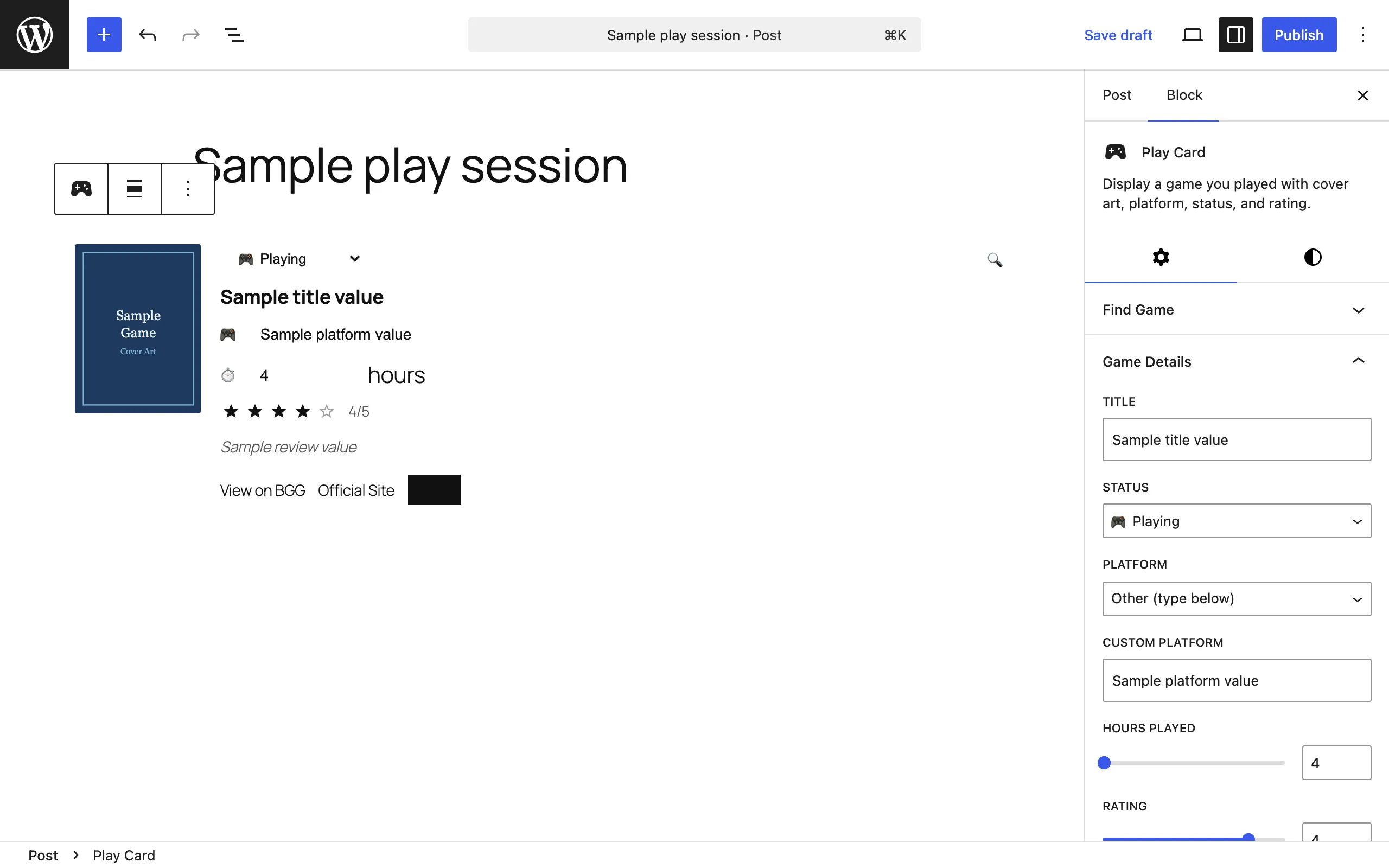
Eighteen kinds have a matching card block (Listen Card, Watch Card, Read Card, Checkin Card, RSVP Card, Event Card, Play Card, Eat Card, Drink Card, Jam Card, Favorite Card, Wish Card, Mood Card, Acquisition Card, Bookmark Card, Like Card, Reply Card, Repost Card). The rest — note, article, photo, video, review, recipe, and the twelve classic-parity kinds (audio, quote, tag, weather, exercise, trip, itinerary, follow, issue, question, sleep, craft) — have no dedicated card block: they work as taxonomy terms with microformats2 markup, and you build their content with regular blocks (recipe pairs with the WP Recipe Maker plugin; review data such as star ratings lives inside the other cards). Every kind, with or without a block, renders as a card on the Stream.
Your first post: log something you listened to
Section titled “Your first post: log something you listened to”-
Go to Posts → Add New Post.
-
Open the block inserter and find the Post Kinds for IndieWeb in Block Themes category, or type
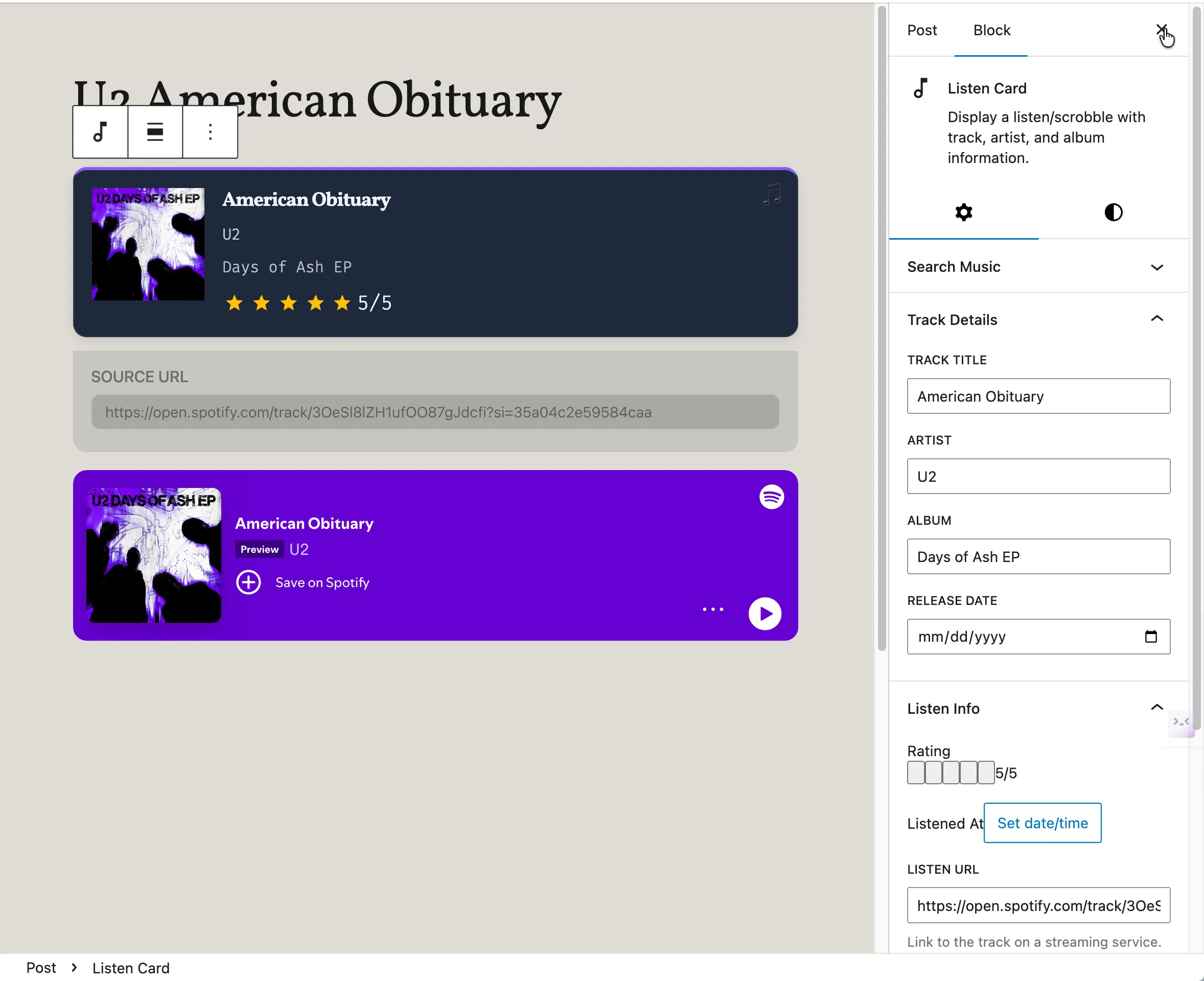
/listen. Insert a Listen Card. (See the block inserter in Screenshots.) -
Use the card’s search field to look up a track (MusicBrainz works without any API key), or fill in track, artist, and album manually. Add a rating if you like.
-
Publish the post.
Expected results at each stage:
- After inserting the card, the editor sidebar’s Post Kind panel shows a notice that the kind was auto-detected from the block. On save, the post’s kind is set to listen automatically — you don’t have to pick it by hand. If you do pick a kind manually, your choice is never overridden.
- After publishing, the post appears at
/kind/listen/and its HTML carries microformats2 markup (u-listen-ofon anh-cite, nested in the post’sh-entry), which IndieWeb readers and parsers can understand — on the archive and at the post’s own URL alike. See Confirm your microformats are valid to check it yourself.
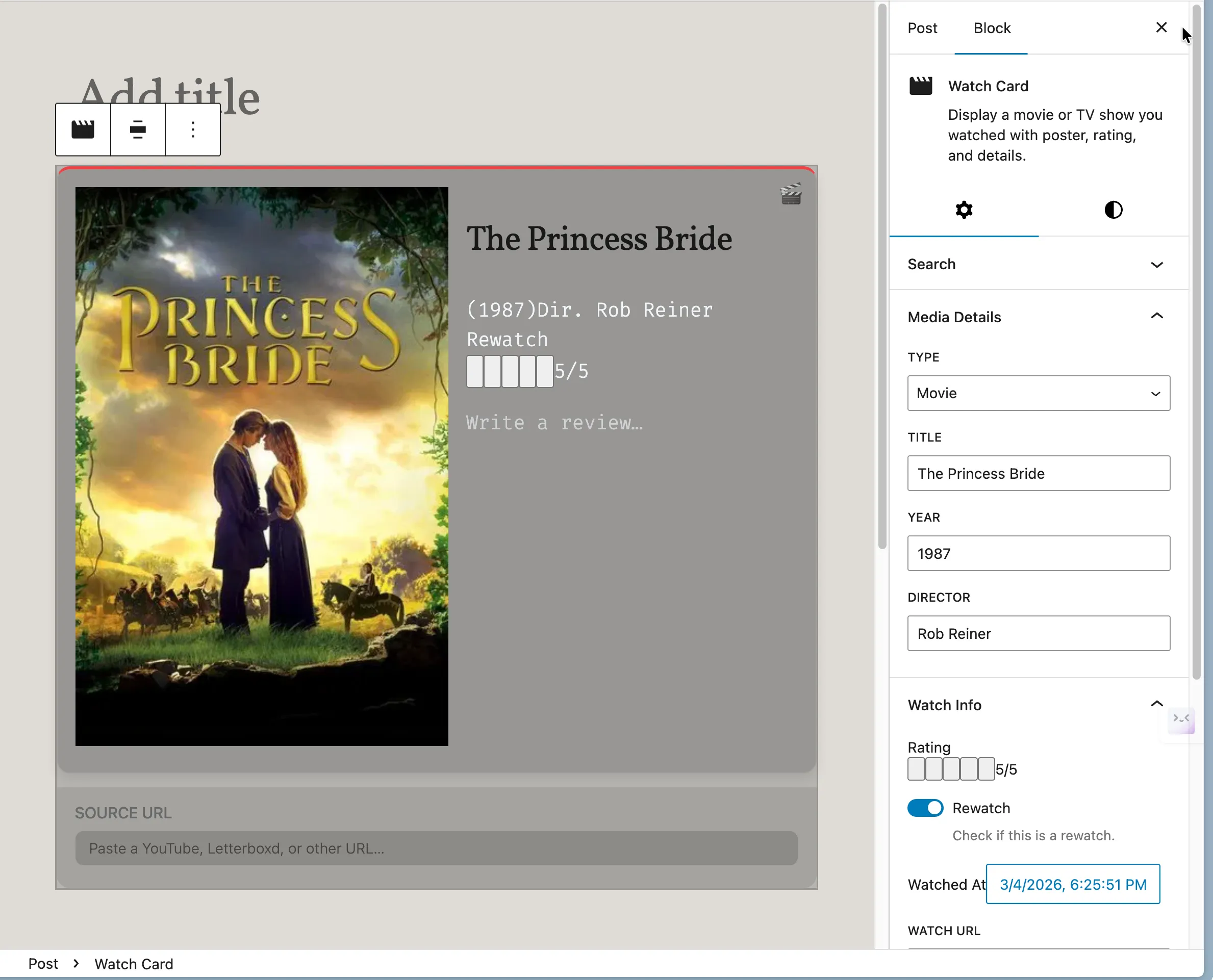
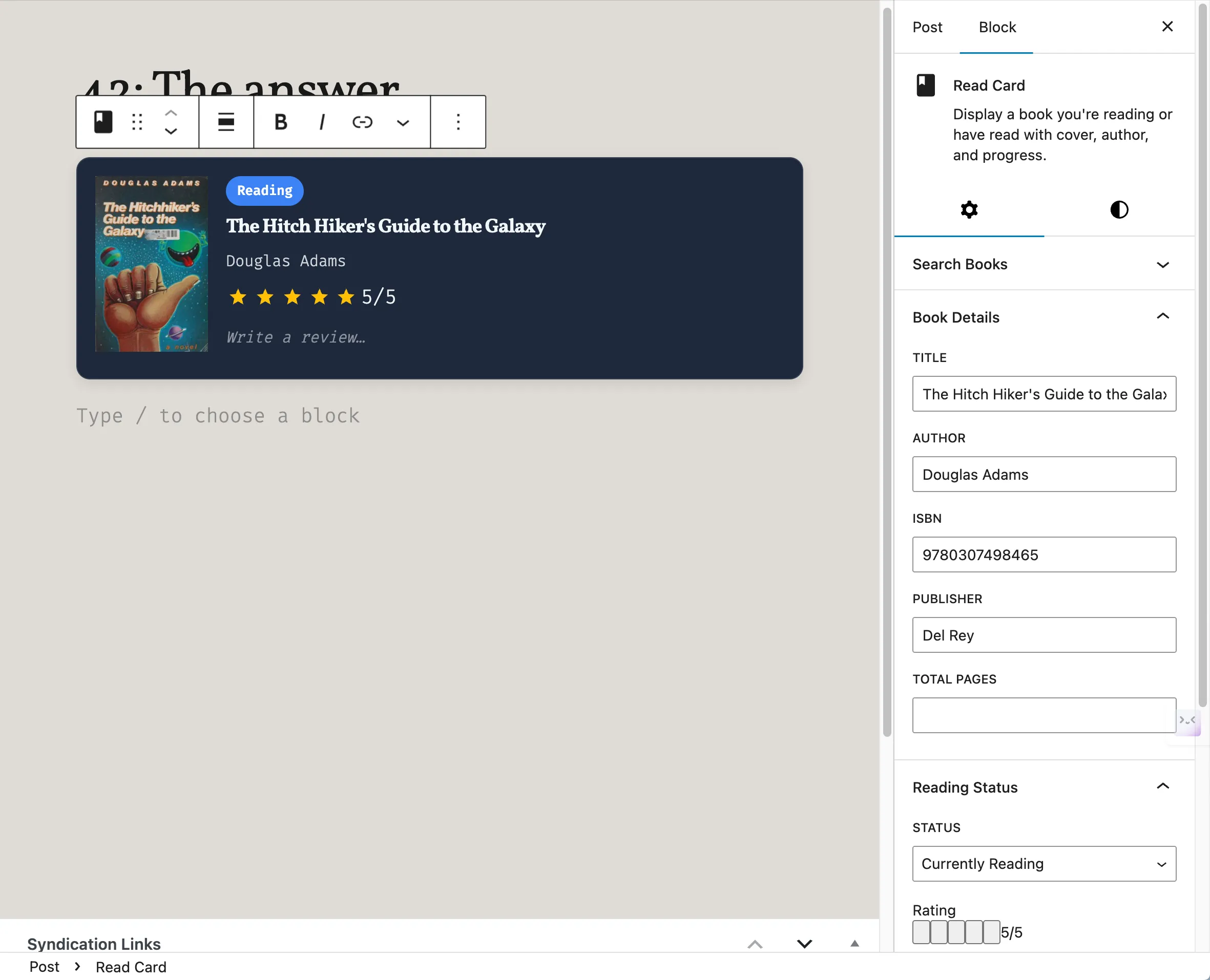
The same flow works for movies (Watch Card), books (Read Card), places (Checkin Card), games (Play Card), and the rest.
Next steps
Section titled “Next steps”- Add API keys for richer search. MusicBrainz and Open Library work without keys, but movie/TV search (TMDB), games (RAWG, BoardGameGeek), and others need keys. Go to Reactions → API Connections, where each service links to its sign-up page and has a “Test connection” style check. See Settings.
- Review the General tab. Reactions → Settings controls the default category for kind posts, default post status, microformats, syndication, and post-format syncing. See Settings.
- Set your check-in privacy default. If you plan to post check-ins, decide up front how much location detail to publish. The Checkin tab offers public / approximate / private defaults; after that, what visitors see of a check-in’s location, coordinates included, follows each post’s Location Privacy setting in the block editor. See Privacy and data.
- Import your history. Reactions → Import pulls in listening, watching, and reading history from connected services; large imports run in the background. See Common tasks.
Common first-run confusion points
Section titled “Common first-run confusion points”- “The blocks aren’t in the inserter.” The card blocks require the block editor. If you use the Classic Editor plugin, you only get basic kind assignment with limited UI (stated in the plugin’s readme FAQ).
- “Media search finds nothing.” Usually missing API keys or a server that can’t make outbound HTTPS requests. See Troubleshooting.
- “There’s a warning about IndieBlocks.” That’s a recommendation, not an error — the plugin works without IndieBlocks, but bookmarks, likes, replies, and reposts pair with IndieBlocks’ own blocks. Install IndieBlocks to dismiss the concern, or ignore the notice.
- “I posted from my phone app and nothing happened.” Micropub posting requires the separate Micropub plugin (plus IndieAuth). See Troubleshooting.
- “My cards looked wrong after an update.” Pre-release builds had a run of card layout regressions (scattered editor layout, stripped padding and shadow on the front end), all fixed before 1.0.0. If cards look off, update to the latest version first.