
Settings
Every user-facing option lives under the Reactions menu (heart icon) in wp-admin. This page covers the tabbed Settings screen and the other Reactions pages: API Connections, Import, Webhooks, Quick Post, Syndication, and Check-ins.
Defaults below are the values the plugin registers in code. Settings, API Connections, Import, and Webhooks require the manage_options capability (administrators); Quick Post, Syndication, and Check-ins require edit_posts (authors and up).
Settings page (Reactions → Settings)
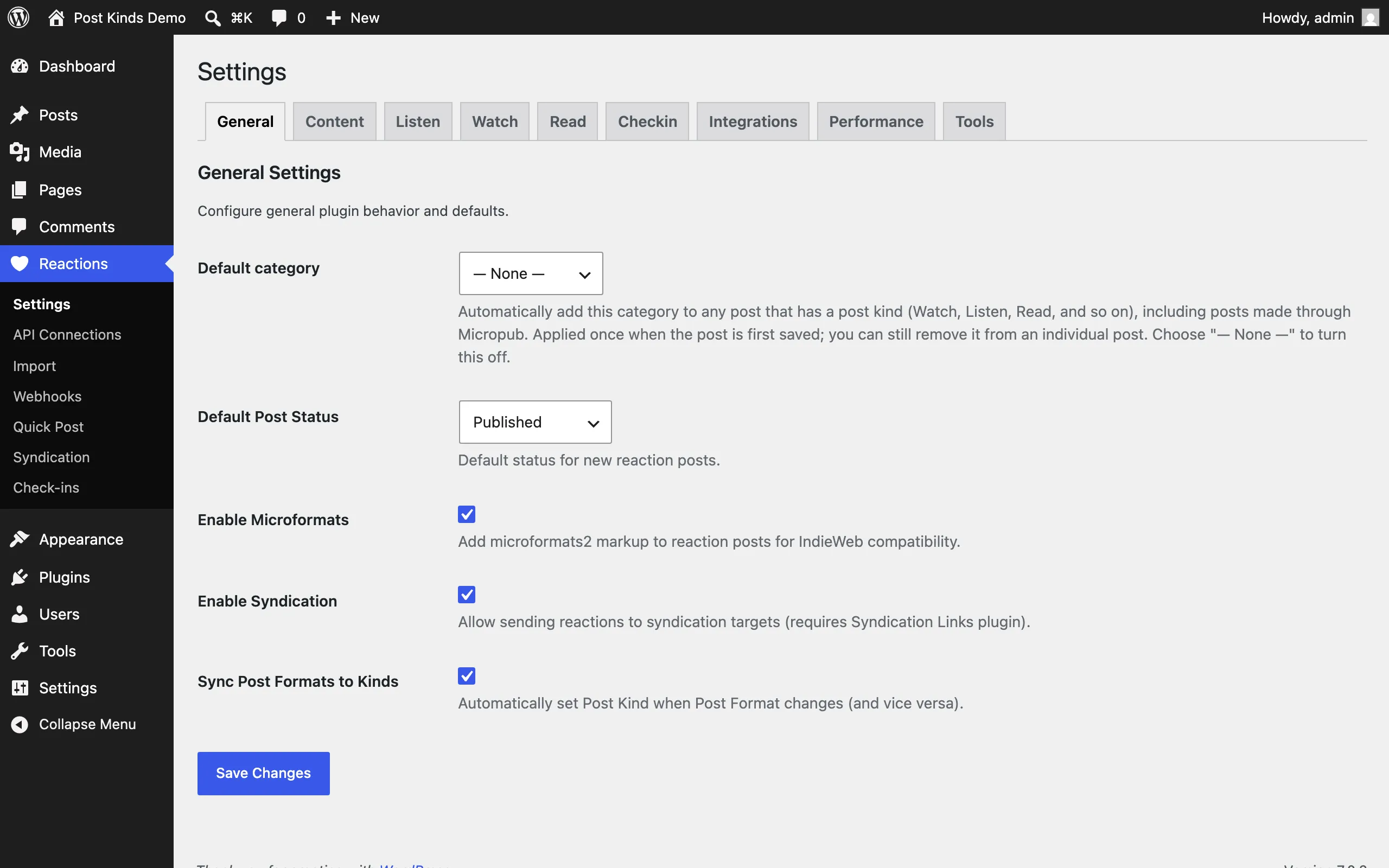
Section titled “Settings page (Reactions → Settings)”The Settings page has nine tabs: General, Content, Listen, Watch, Read, Checkin, Integrations, Performance, Tools.
General tab
Section titled “General tab”| Setting | What it does | Default |
|---|---|---|
| Default category | Automatically adds this category to any post that has a post kind (including posts made through Micropub). Applied once when the post is first saved; you can remove it from an individual post. Choose “— None —” to turn it off. Since 1.4.2 it applies only to stream-shaped posts (composer posts, Status/Aside formats, or activity kinds like listen/watch/checkin) — long-form articles and reviews don’t get it. | None |
| Default Post Status | Status for new reaction posts: Published, Draft, Pending Review, or Private. | Published |
| Enable Microformats | Adds microformats2 markup to reaction posts for IndieWeb compatibility. Turn off only if another plugin or your theme handles microformats. | On |
| Enable Syndication | Allows sending reactions to syndication targets. The setting notes it requires the Syndication Links plugin. | On |
| Sync Post Formats to Kinds | Automatically sets the Post Kind when the Post Format changes, and vice versa, using a mapping table shown on this tab (for example Audio → listen, Video → watch, Link → bookmark, Image → photo). You can adjust the mapping per format. | On |
Note: earlier versions showed an Enabled Reaction Types checkbox grid here. It was removed on 2026-07-10 because nothing at runtime read it — disabling a kind never changed the editor, taxonomy, or blocks. The control returns if and when that enforcement is implemented.
Content tab
Section titled “Content tab”| Setting | What it does | Default |
|---|---|---|
| Auto-fetch Metadata | Automatically fetches metadata from external APIs when creating posts. | On |
| Cache Duration | How long to cache API responses: 1 hour, 6 hours, 12 hours, 24 hours, 3 days, or 1 week. | 24 hours |
| Image Handling | What to do with cover art and artwork from external sources: Download to Media Library (sideload), Link to External URL (hotlink), or Do Not Include Images. | Download to Media Library |
Listen tab
Section titled “Listen tab”| Setting | What it does | Default |
|---|---|---|
| Auto-Sync Music | Automatically imports new music scrobbles from your connected music service. | Off |
| Music Import Source | Primary source for importing scrobble history: ListenBrainz or Last.fm. | ListenBrainz |
| Embed Player | Preferred music service for embedding players in listen posts: None, Spotify, Apple Music, YouTube Music, Bandcamp, or SoundCloud. The plugin searches for and embeds tracks from this service when importing. | None |
| Auto-Sync Podcasts | Automatically imports podcast episodes with highlights from Readwise/Snipd. | Off |
| Default Rating | Default rating for listen posts (0 = no rating). | 0 |
| Scrobble to Last.fm | Automatically scrobbles listen posts to Last.fm when published. Requires a Last.fm session key (connect on the API Connections page). This is a POSSE feature — it sends data out only when you turn it on. | Off |
Watch tab
Section titled “Watch tab”| Setting | What it does | Default |
|---|---|---|
| Auto-Sync Movies & TV | Automatically imports movies and TV shows you watch. | Off |
| Import Source | Primary source for watch history: Trakt or Simkl. | Trakt |
| Default Rating | Default rating for watch posts (0 = no rating). | 0 |
| Include Rewatches | Creates posts for rewatched content (the screen warns this may create duplicates). | Off |
| Sync to Trakt | Automatically syncs watch posts to Trakt history when published. Requires a Trakt OAuth connection. POSSE feature, off unless you enable it. | Off |
Read tab
Section titled “Read tab”| Setting | What it does | Default |
|---|---|---|
| Auto-Sync Books | Automatically imports books you’re reading or have read. | Off |
| Book Import Source | Primary source for book history: Hardcover or Readwise Books. Readwise imports include Kindle highlights. | Hardcover |
| Auto-Sync Articles | Automatically imports articles with highlights from Readwise. | Off |
| Default Read Status | Default status for new read posts: To Read, Currently Reading, Finished, or Abandoned. | To Read |
Checkin tab
Section titled “Checkin tab”| Setting | What it does | Default |
|---|---|---|
| Auto-Sync Checkins | Automatically imports check-ins from Foursquare/Swarm. | Off |
| Default Location Privacy | Default privacy level for new check-ins: Public (exact location) shows full address, venue name, and precise coordinates; Approximate shows the exact location on check-ins and posts with a venue, the same as Public, and only the place name, city, region and country on geotagged posts without a venue; Private (hidden) stores the location but never displays it publicly — for home, work, or other private places. | Public |
| Venue Search Source | Which service powers venue search in the editor: OpenStreetMap (Nominatim), Foursquare (requires API key), or Both (Foursquare first, OSM fallback). | — |
| Sync to Foursquare | Posts check-ins to Foursquare when publishing. Requires a Foursquare OAuth connection. The screen describes it as a POSSE approach — Publish on your Own Site, Syndicate Elsewhere. | Off |
| Foursquare Connection | Connect/disconnect button for the Foursquare OAuth link used by import and sync. | Not connected |
What visitors see of a check-in’s location, coordinates included, follows each post’s Location Privacy setting in the block editor: Public (exact location), Approximate or Private (hidden).
Note: earlier versions showed a Coordinate Handling setting here. It was removed on 2026-10-06 because nothing at runtime read it — no option changed how coordinates were stored or shown.
See Privacy and data for how privacy levels affect your site’s public markup.
Integrations tab
Section titled “Integrations tab”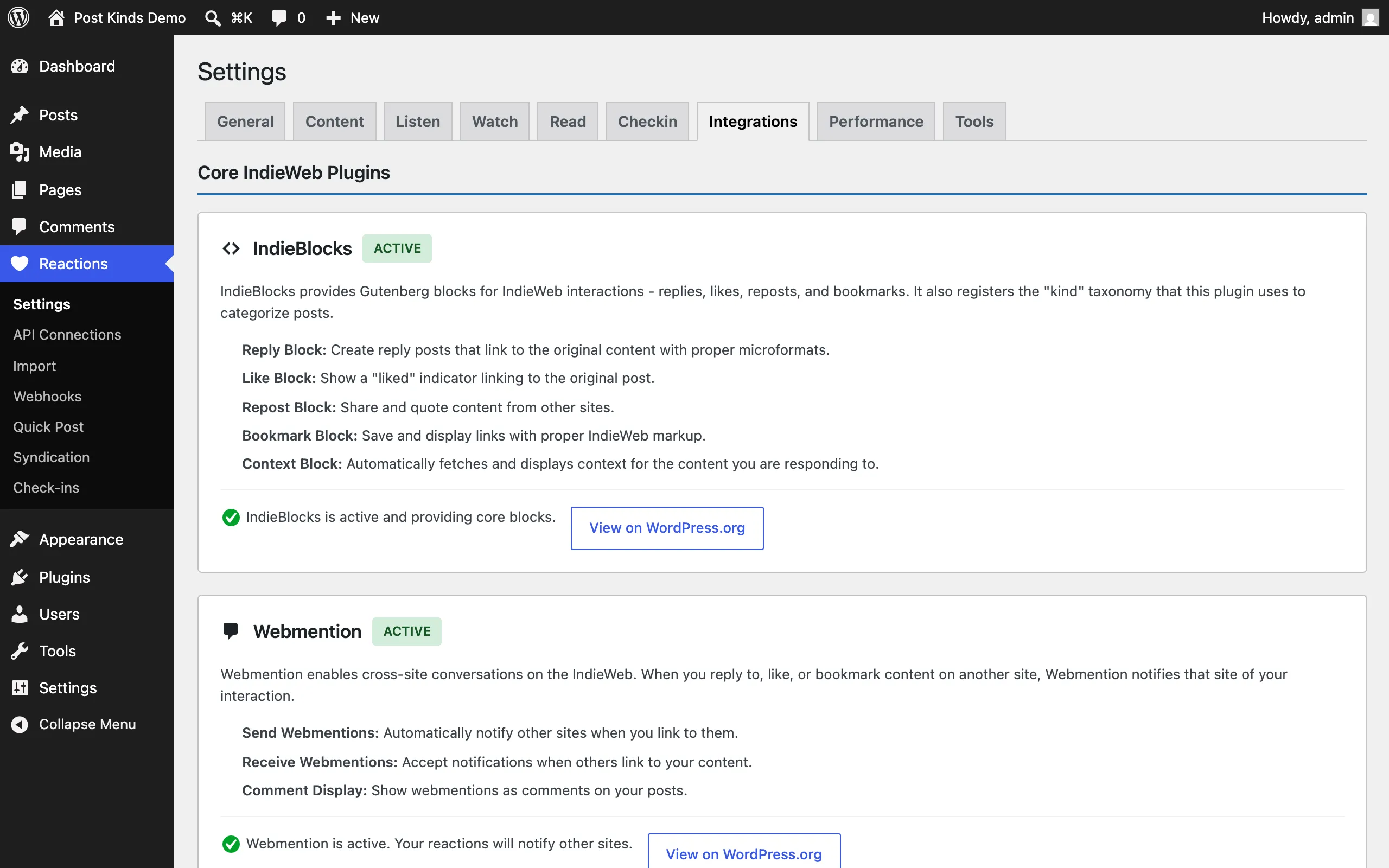
Status cards for related plugins — each shows whether the plugin is detected as active, with a short description and link:
- IndieBlocks — companion blocks for bookmarks, likes, replies, reposts.
- Webmention — cross-site conversations. Detected only; this plugin doesn’t send or receive webmentions itself.
- Syndication Links — POSSE workflow support.
- Bookmark Card — enhanced bookmark previews.
- Post Formats for Block Themes — post format support in block themes; the card links to the format-to-kind mapping on the General tab.
- WP Recipe Maker — recipe kind support.
- WordPress oEmbed — embed support.
There are no settings to change here; it’s a dashboard of what’s installed.
Performance tab
Section titled “Performance tab”| Setting | What it does | Default |
|---|---|---|
| Automatic Sync | Enables background sync (WP-Cron) for the auto-import toggles on the Listen/Watch/Read/Checkin tabs. | Off |
| Rate Limit Delay | Milliseconds to wait between API requests, to avoid provider rate limits. | 1000 ms |
| Import Batch Size | Number of items processed per batch during imports. | 50 |
Tools tab
Section titled “Tools tab”Maintenance actions rather than saved settings:
- Clear API Cache — clears cached responses from external APIs.
- Clear Metadata Cache — clears cached media metadata.
- Clear All Caches — clears everything cached.
- Export Settings — downloads settings as a JSON file. API keys are excluded from the export.
- Import Settings — restores settings from a JSON export.
Standard.site publishing (Integrations tab)
Section titled “Standard.site publishing (Integrations tab)”The Integrations tab carries the Standard.site publishing controls:
- A status line — whether ATmosphere is active and connected, with a link to its own settings screen where the account connection lives. Post Kinds never duplicates ATmosphere’s connection, publication, or Bluesky controls.
- One checkbox per kind, controlling which kinds publish Standard.site documents by default. Content kinds ship checked; reaction and log kinds ship unchecked. A post’s own sharing toggle (ATmosphere’s, in the editor sidebar) always overrides the default, and unchecking a kind never removes records that already published — it only changes what future posts do.
See Standard.site records for how publishing works end to end.
API Connections page (Reactions → API Connections)
Section titled “API Connections page (Reactions → API Connections)”Where you enter credentials for the external services that power media search, imports, and syndication. Each service card shows a description, links to the provider’s docs and sign-up page, the credential fields it needs, and a connection test.
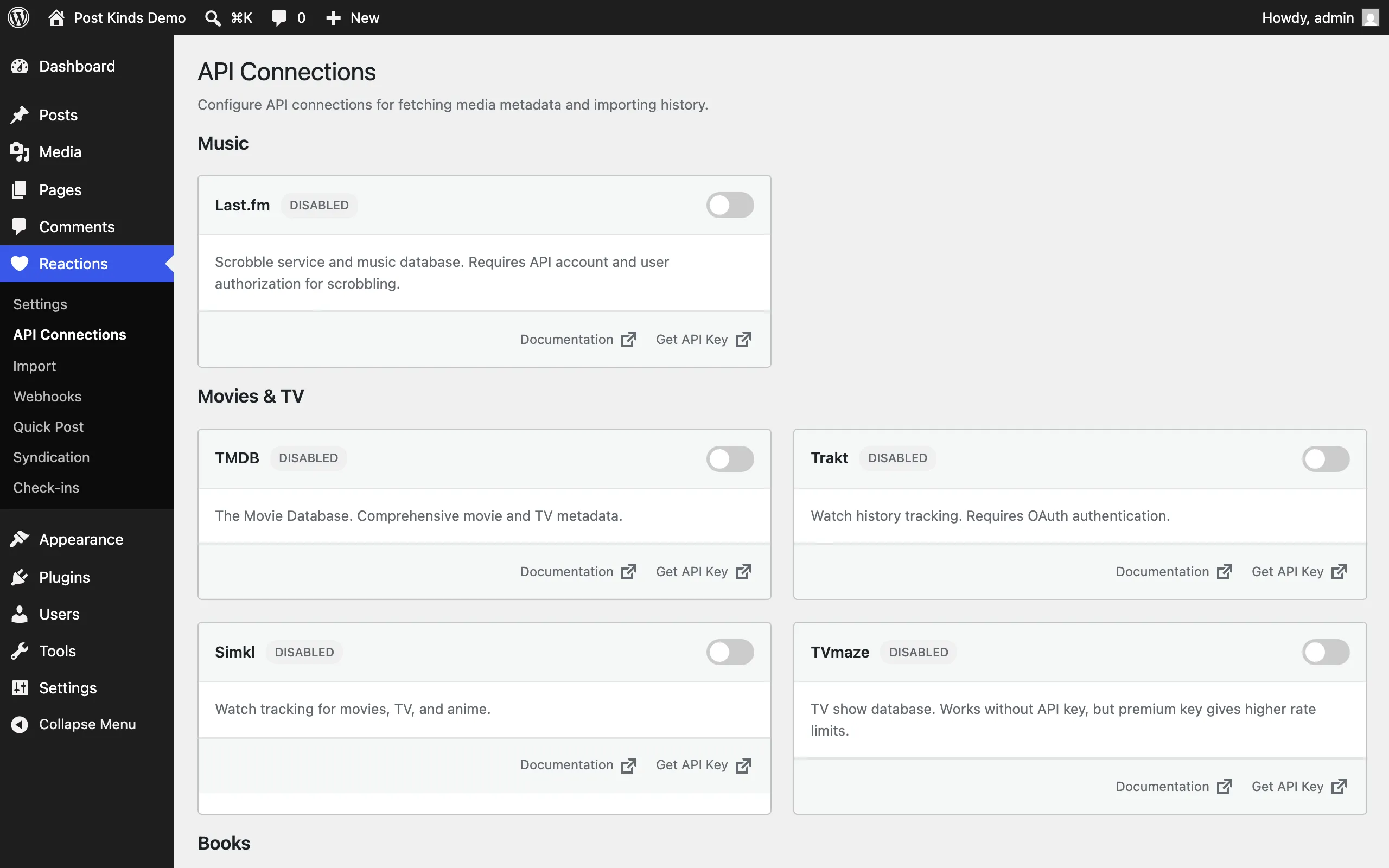
Services on this page: Last.fm (API key, shared secret, plus an authorize step for scrobbling), TMDB (movies/TV), Trakt (OAuth), Simkl (OAuth), TVmaze, Open Library, Hardcover, Google Books, Foursquare (OAuth), Nominatim (asks only for a contact email, required by the OpenStreetMap usage policy), Readwise (access token), BoardGameGeek (API token; the page notes BGG app approval can take a week or more, and that you can paste BGG URLs into the Play Card meanwhile), and RAWG (API key).
MusicBrainz and Open Library searches work without keys. Saved keys display masked (****); re-saving the form doesn’t overwrite a stored key with the mask. Keys are stored in the WordPress options table — see Privacy and data.
Import page (Reactions → Import)
Section titled “Import page (Reactions → Import)”Bulk-imports your history from connected services. Shows Active Imports (progress of running jobs) and Start New Import cards per service — services without credentials show “Not Connected” with a “Configure API” link; connected services offer Preview, Start Import, and Re-sync. Imports run in the background via WP-Cron; an admin notice shows while imports are running, with a link to view progress.
Webhooks page (Reactions → Webhooks)
Section titled “Webhooks page (Reactions → Webhooks)”Webhooks let external apps push events to your site so posts are created automatically as you watch, listen, or check in (for example from Plex, Jellyfin, Trakt, or ListenBrainz). The page shows, per service:
- A Webhook URL to copy into the external service.
- For Plex and Jellyfin, a per-service token with Generate and Rotate token buttons. Plex can’t send headers, so its URL carries the token (
?token=) and is masked like a password; query-string tokens can show up in server access logs, so rotate the token if the URL leaks. Jellyfin sends the token in anX-Webhook-Tokenrequest header, set on the Webhook plugin’s Generic destination. Rotating a token stops the old one immediately. - For ListenBrainz and Trakt, requests are verified with an HMAC-SHA256 signature of the body made with the site webhook secret. The
/webhook/genericendpoint accepts that same secret as a token, but only in theX-Webhook-Tokenrequest header — a?token=query string is not accepted, since query strings can show up in server and CDN access logs. - A Webhook Log of recent deliveries, and a Pending Scrobbles count.
Quick Post page (Reactions → Quick Post)
Section titled “Quick Post page (Reactions → Quick Post)”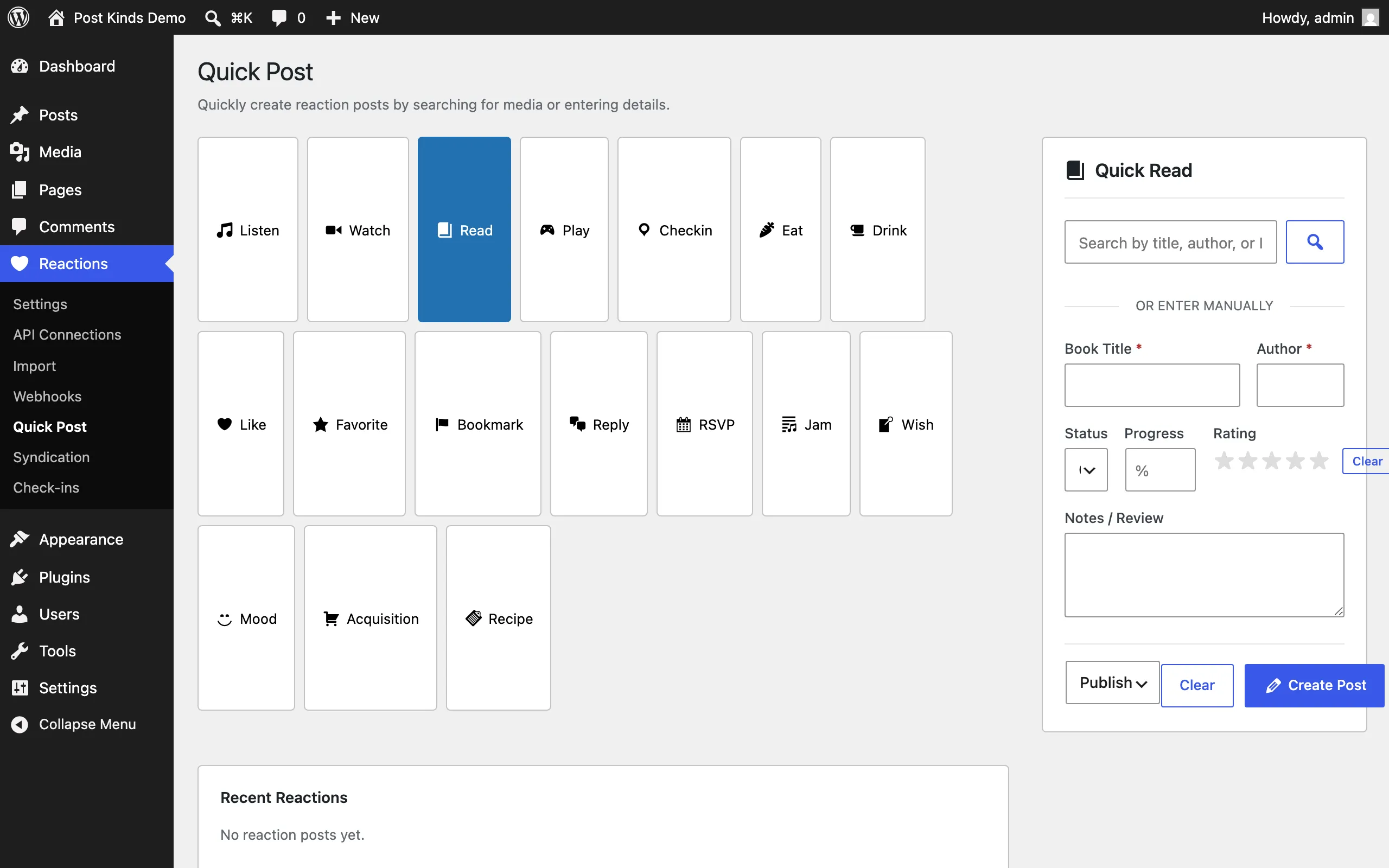
A fast composer for reaction posts without opening the block editor: search for media (Quick Listen and similar sections) or enter details manually, and the page creates the post. It also lists your recent reactions. Available to anyone who can edit posts.
Syndication page (Reactions → Syndication)
Section titled “Syndication page (Reactions → Syndication)”Shows syndication status per post once syndication services are configured — which posts were Syndicated, which were Skipped, and a “Syndicate Now” action to send a skipped post to the service. If nothing is configured, it links you back to Settings.
Check-ins page (Reactions → Check-ins)
Section titled “Check-ins page (Reactions → Check-ins)”A dashboard of your check-in posts (the admin counterpart to the front-end Check-in Dashboard block).