Annotate with the kit
Add numbered marks, highlights, and redactions to each screenshot in an annotated frame the docs embed.
Steps
- Make the annotated frame beside the clean one: a frame the size of the image, holding a copy of the image only. Name it
[<id>] — <title> — <release> — annotated. The clean frame stays untouched. -
Open the Assets panel (Option+2) and drag marks onto the image:
- Highlight box over the area the step is about. Resize it with the corner handles; never fill it.
- Step badge next to each area, numbered in reading order.
- Callout label when the UI element needs its name on the image.
- Redact over names, emails, avatars, and IDs. Use Solid when blur might still leak text.
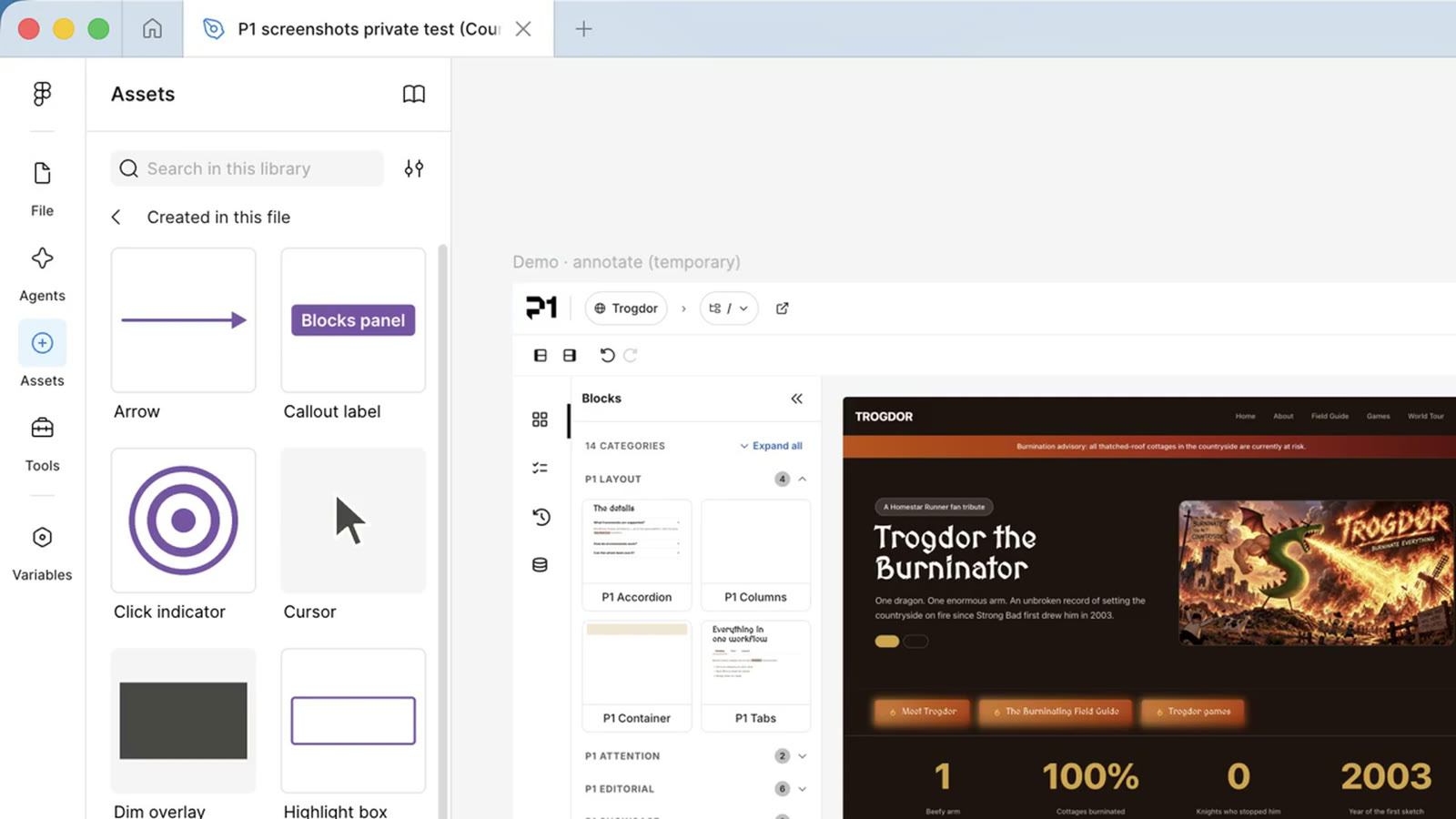
The kit in the Assets panel. Drag a component onto the image. 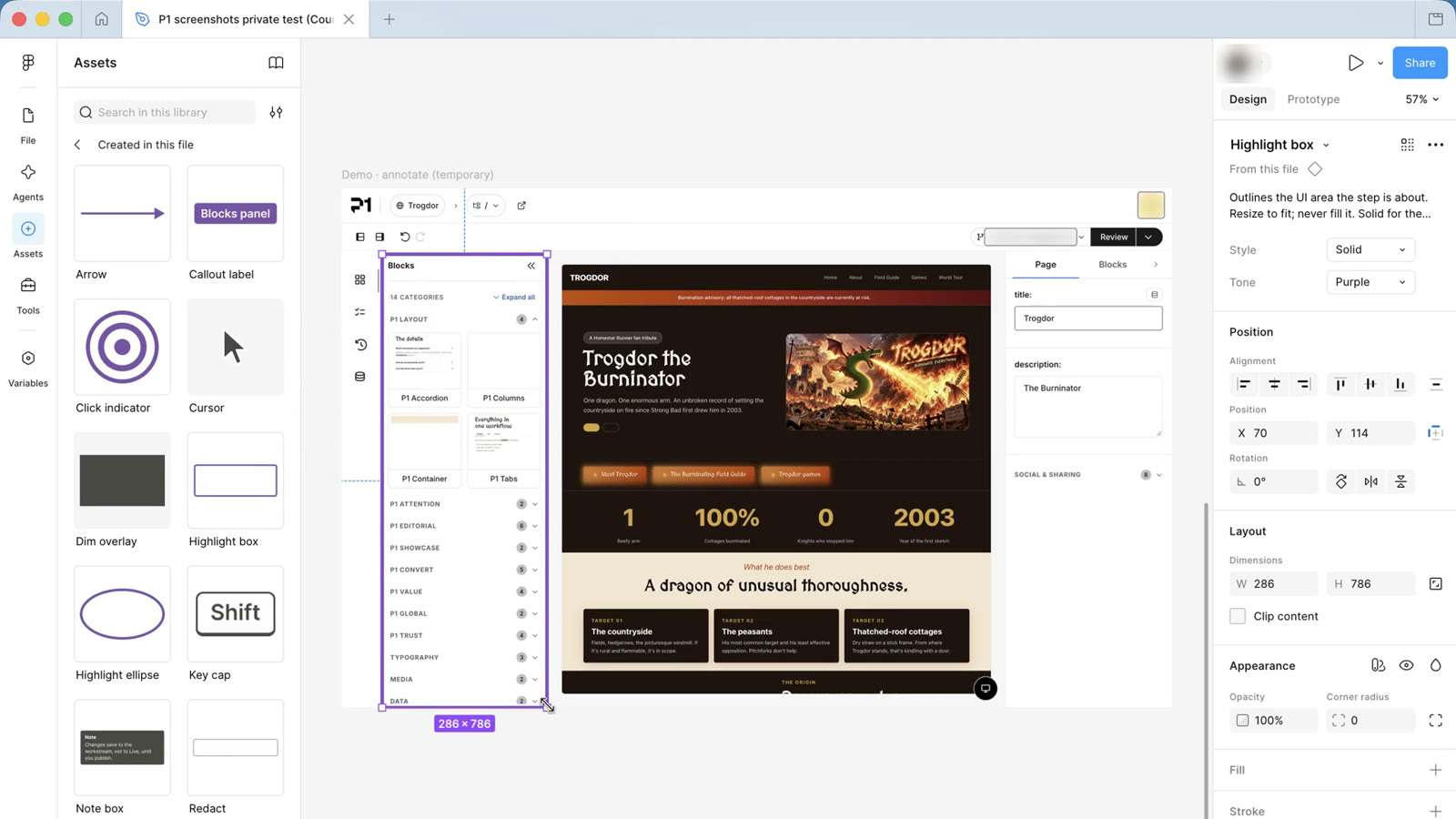
Highlight box, resized to the Blocks panel. 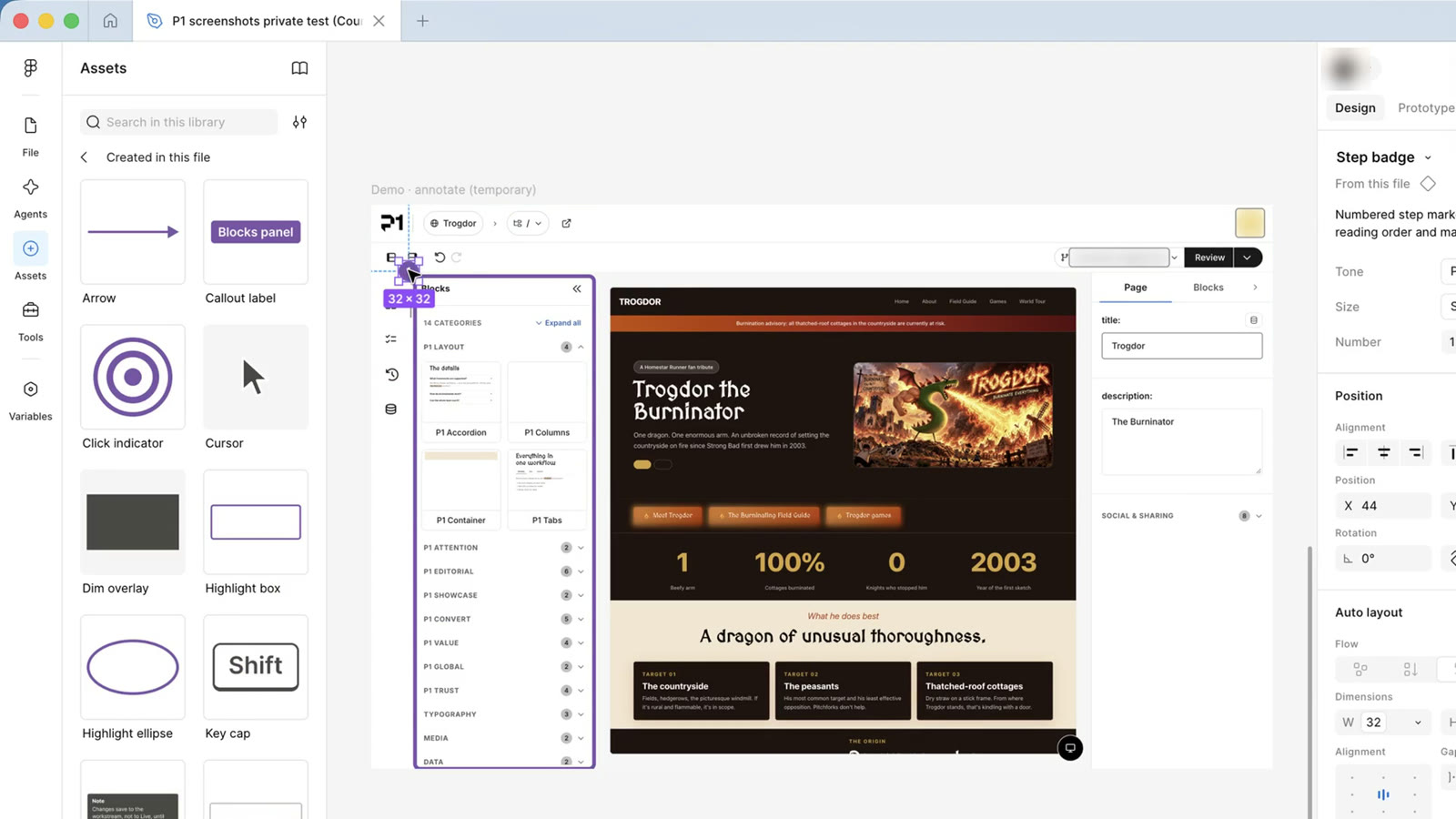
Step badge 1 beside it. -
Keep every mark inside the annotated frame, so it exports with the image. Check the Layers panel.
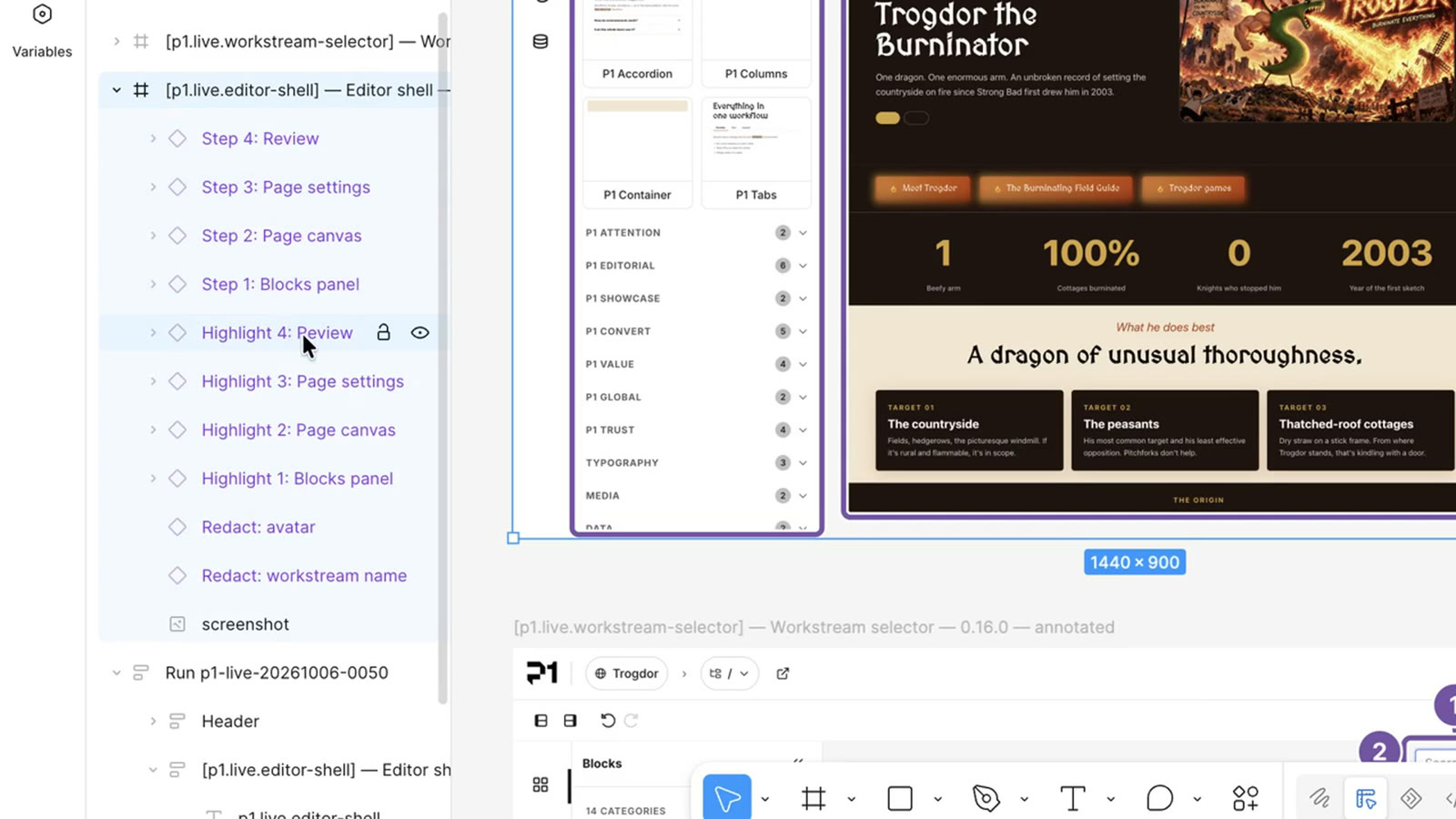
Every mark nested inside the annotated frame. Step layers are named the way the alt text should read. - Name each step layer the way it should be read, for example
Step 4: the Review button. The alt text is drafted from these names. - When the UI didn’t change since the last release, copy last release’s annotated frame and swap in the new image, then check every redaction still covers what it should.
Which mark to use for what: Annotation kit.
Record it
After a reviewer approves the marks:
node scripts/inventory.mjs record-figma --id <id> --annotated-node-id <annotated frame node> --annotation-status complete --inventory <inventory>
node scripts/inventory.mjs transition --id <id> --to annotated --inventory <inventory>