Export and hand off
Export each annotated frame as a 2x PNG, record its checksum, and hand it to the docs owner.
Steps
-
Export the annotated frame. Either:
-
With a Figma token (
file_content:read), export every annotated record at once:FIGMA_TOKEN=<your token> node scripts/figma-export.mjs --inventory <inventory> --status annotated --out <dir> --record --assets-dir <assets>It exports the annotated frame only, never the clean one. Set the token in your shell; it’s never printed or written to a file.
-
By hand: select the annotated frame, add an export setting PNG, 2x, export it, then record it:
node scripts/inventory.mjs record-asset --id <id> --file <exported png> --assets-dir <assets> --inventory <inventory>
A 1440 by 900 frame exports at 2880 by 1800.
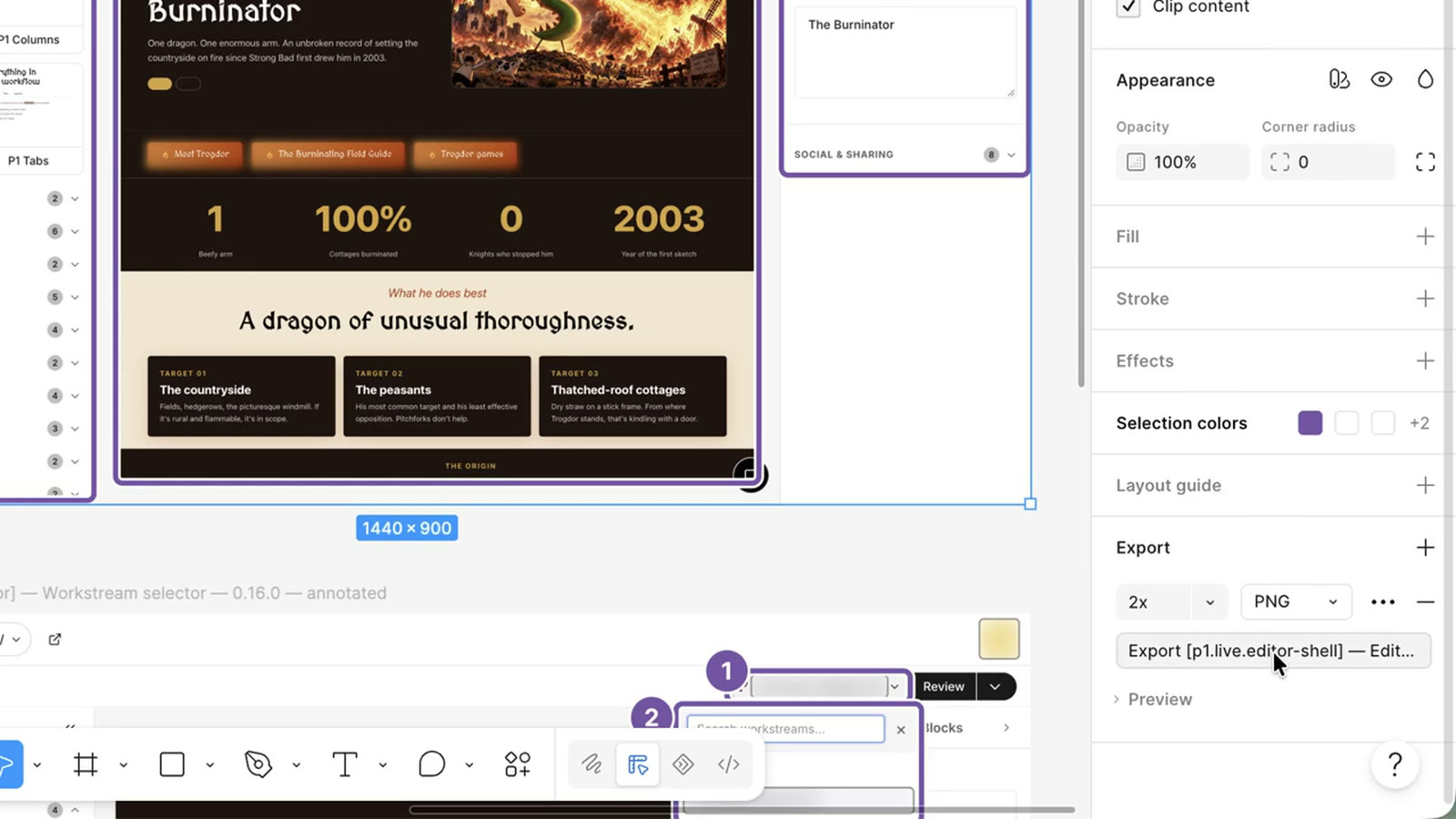
The export setting: PNG at 2x. -
-
Mark it handed off and write the handoff:
node scripts/inventory.mjs transition --id <id> --to handed_off --inventory <inventory>
node scripts/inventory.mjs handoff --inventory <inventory> --out handoff.md
The handoff lists each image’s docs slot, caption, alt text, checksum, and the annotated frame’s node.
-
Commit the exported images and the inventory change to the repository that holds screenshots, in one pull request per release. The diff shows each old and new image.
Next: Swap images in Markdown docs or in Google Docs.