Swap images in Google Docs
Insert each screenshot into its Google Doc once. After that, every release swaps it in place, with its alt text, without anyone inserting images.
Set up the Apps Script first: Set up the tool, step 5.
The first time: insert the image
- In the doc, add the heading the inventory records as the docs slot.
-
Choose Insert > Image > Upload from computer and pick the annotated PNG.
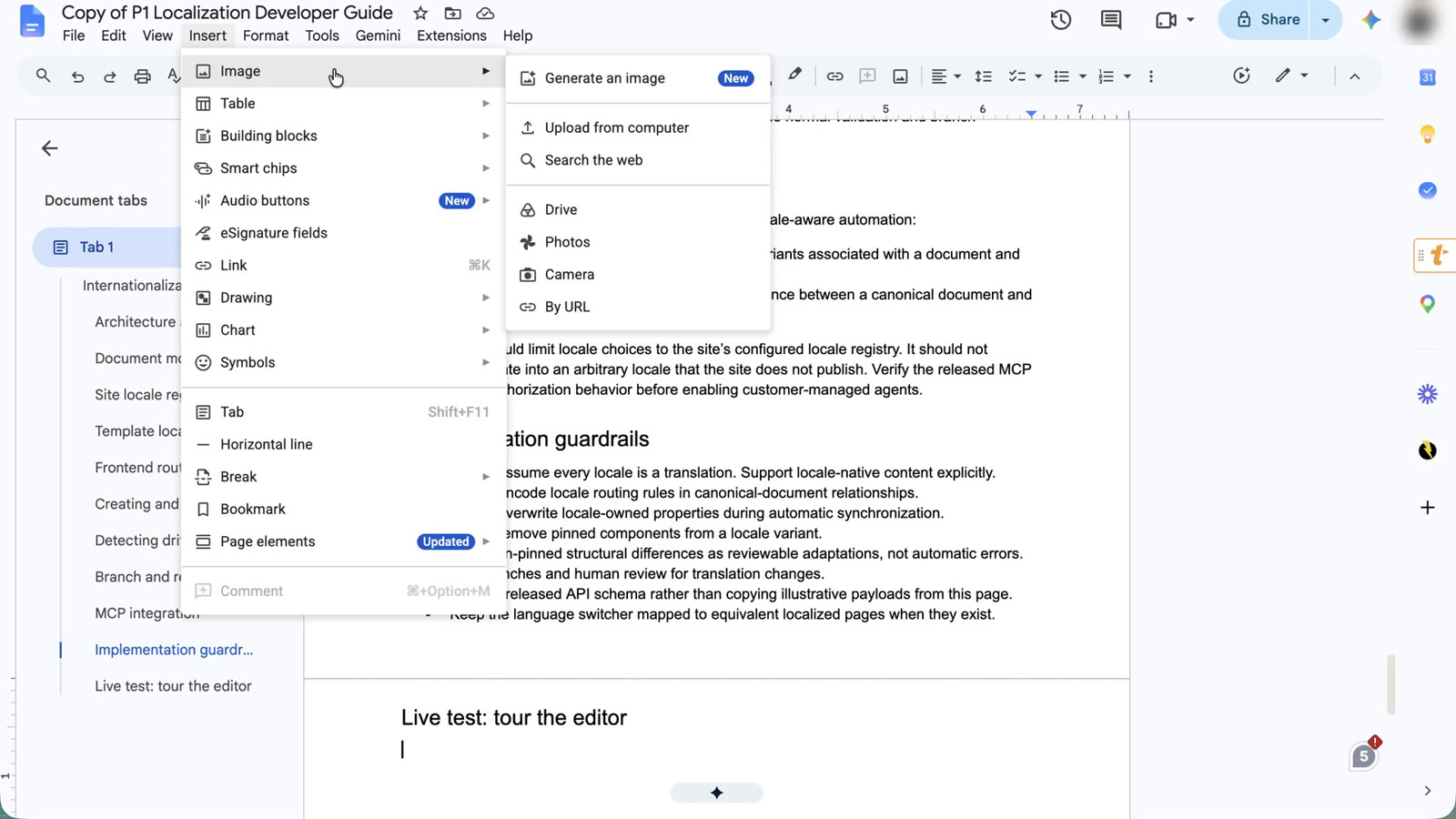
Insert > Image > Upload from computer. -
Right-click the image, choose Alt text, and paste the record’s alt text from the handoff.
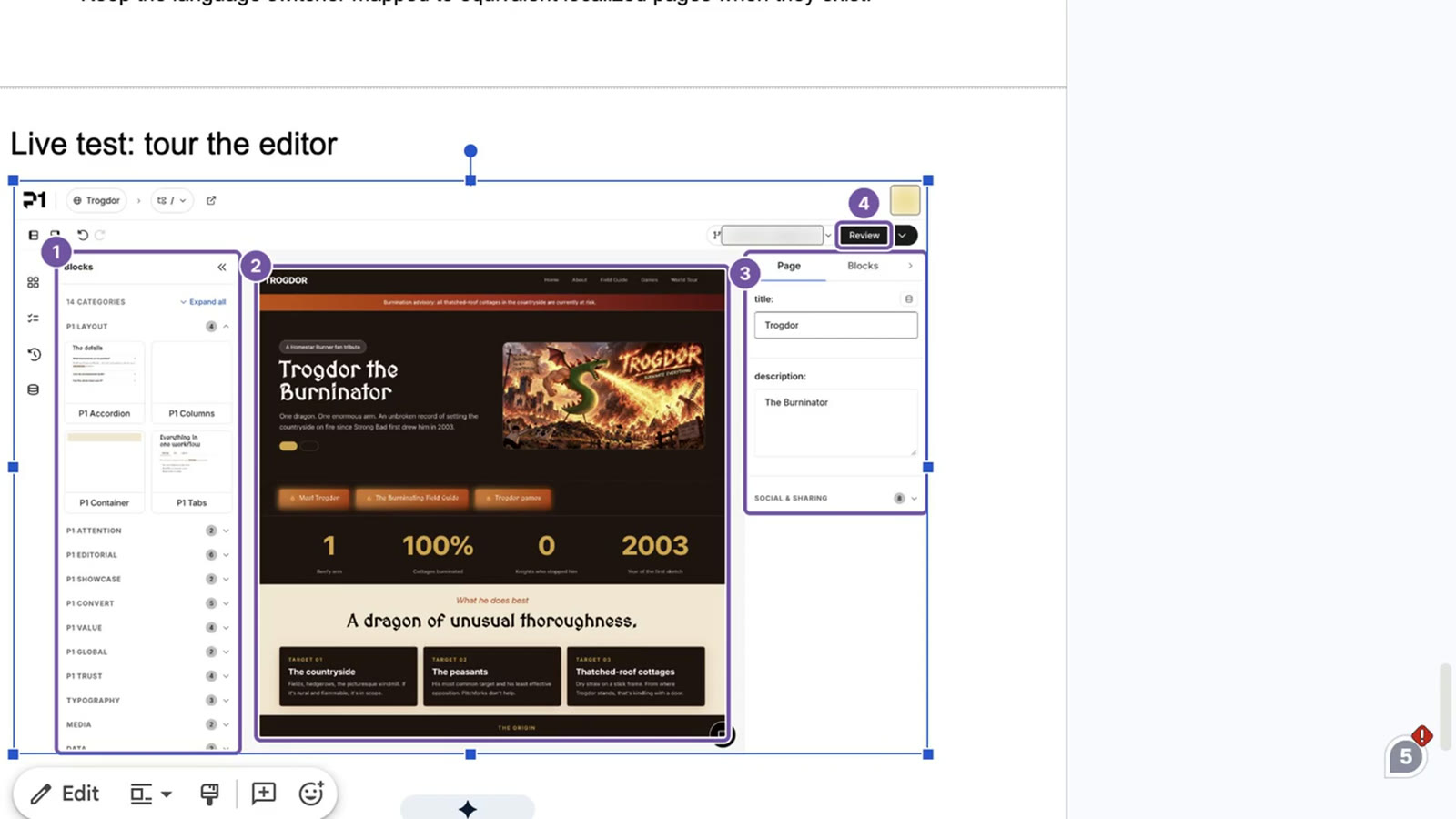
The alt text, pasted from the handoff. The swap finds the image by it later. - Publish the doc from the Content Publisher add-on. Check the add-on’s Publish to site first.
The swap finds this image later by its alt text.
Every release: swap
- Commit the release’s images to the screenshots repository and note the commit.
-
Write the swap list, pinned to that commit:
node scripts/gdocs-manifest.mjs --inventory <inventory> --repo <owner/name> --ref <commit> --out release-swap/<release>.jsonCommit and push it. Records without a Google Doc ID, an asset, or alt text are listed as skipped.
-
Point the script at it: set
MANIFEST_REF(the commit holding the manifest) and, if it changed,MANIFEST_PATH, inbuild/gdocs-swap/Config.gs(thennpx @google/clasp@3.4.1 pushfrom that folder), or as script properties.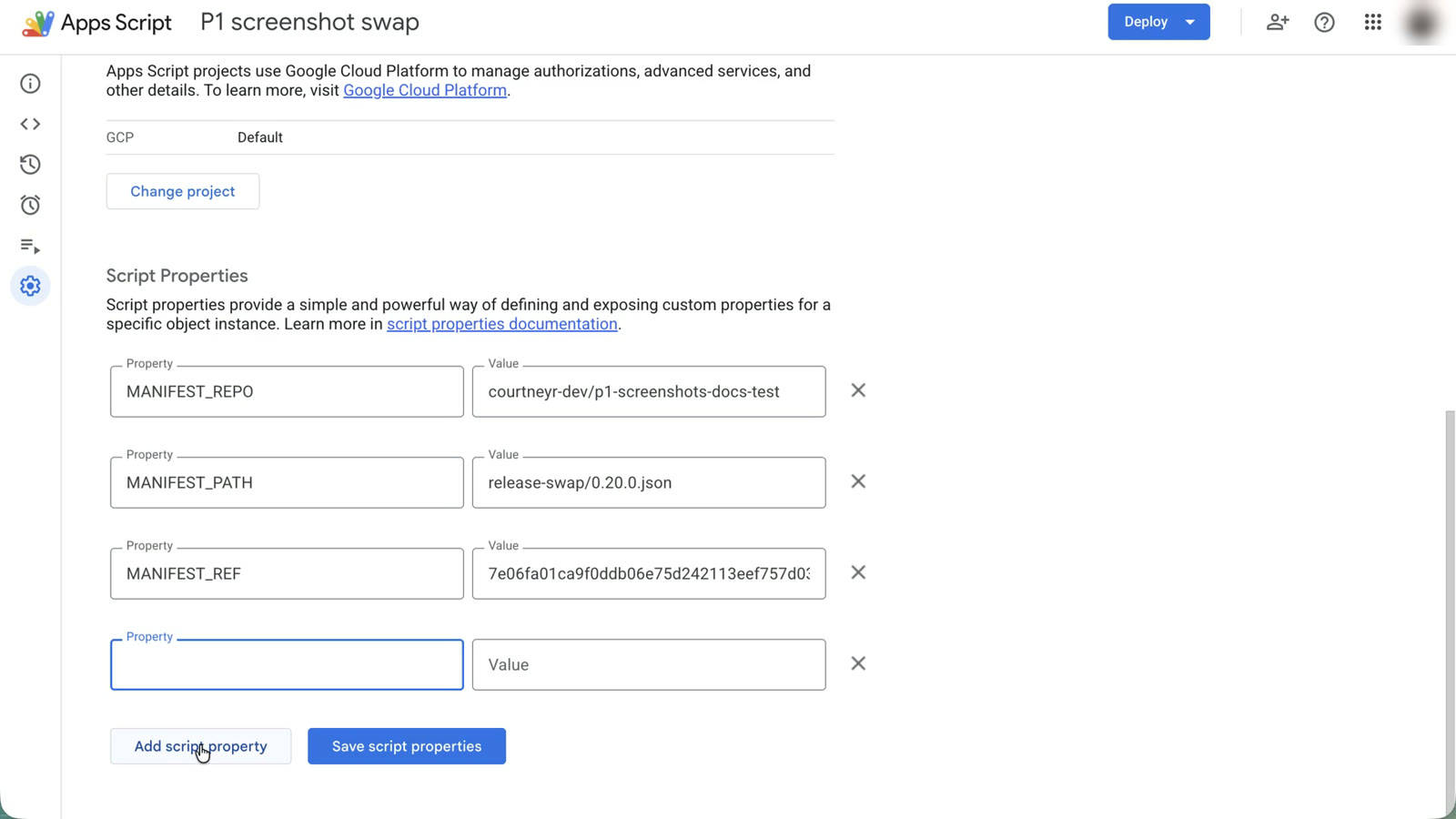
The three manifest settings. GITHUB_TOKEN is added the same way, by you. -
In the Apps Script editor, run
dryRunSwapand read the execution log. Each entry sayswould-replace,not-found,ambiguous, orchecksum-mismatch.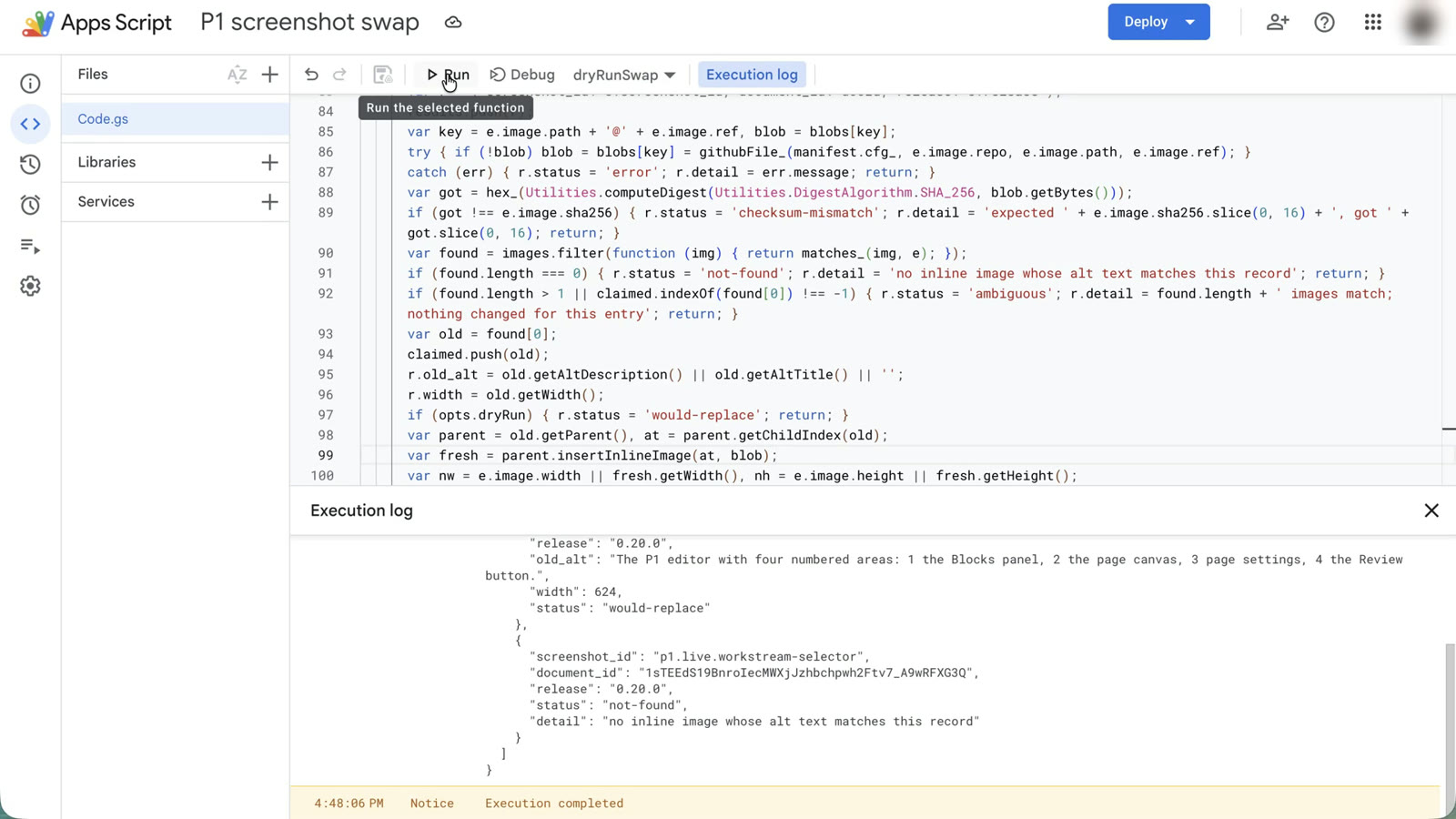
Dry run: nothing changes. One image would be replaced; the other isn't in this doc. -
Run
runSwap. Eachreplacedimage now holds the new release, at the same width, with the alt text.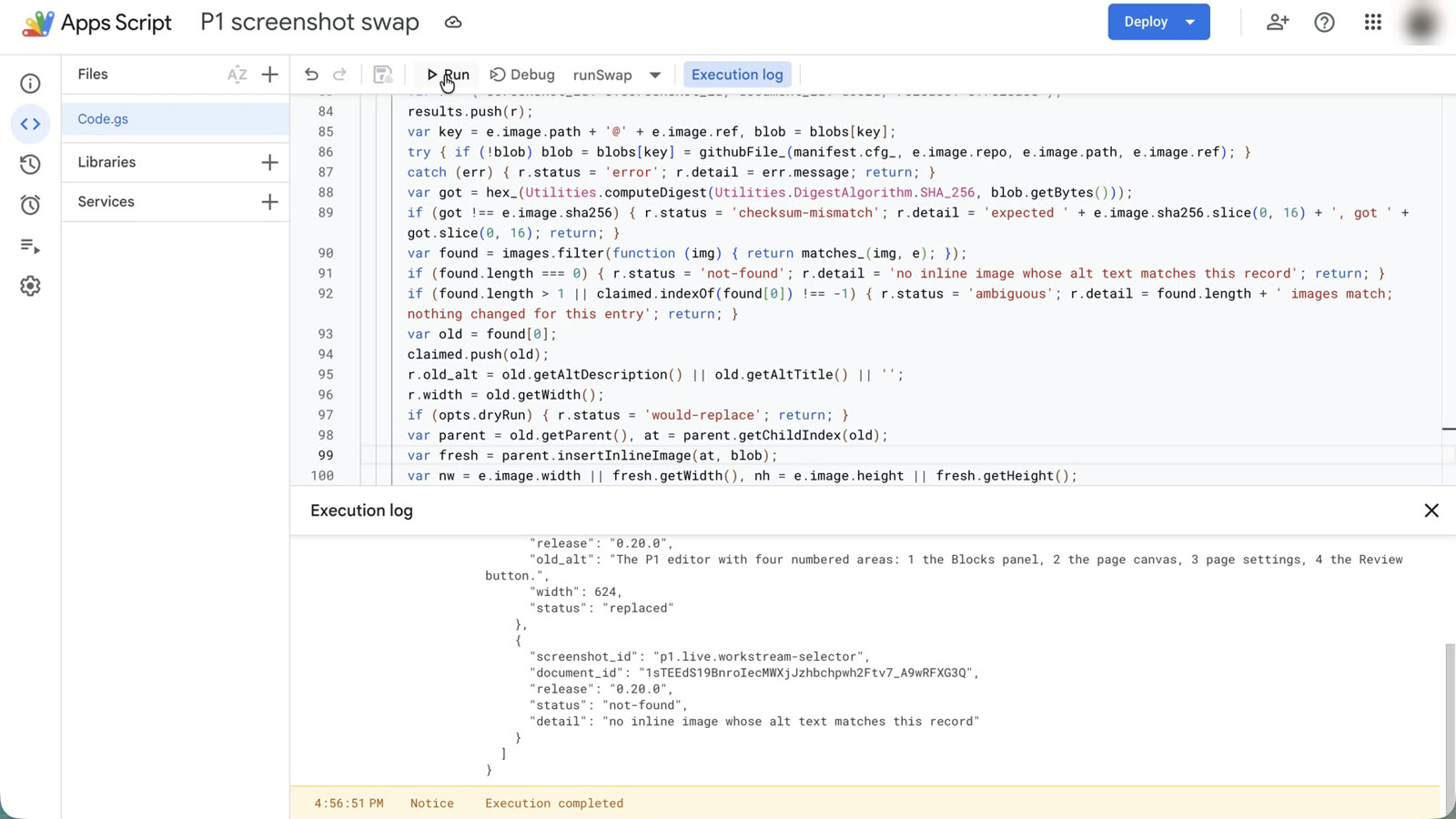
runSwap: replaced. 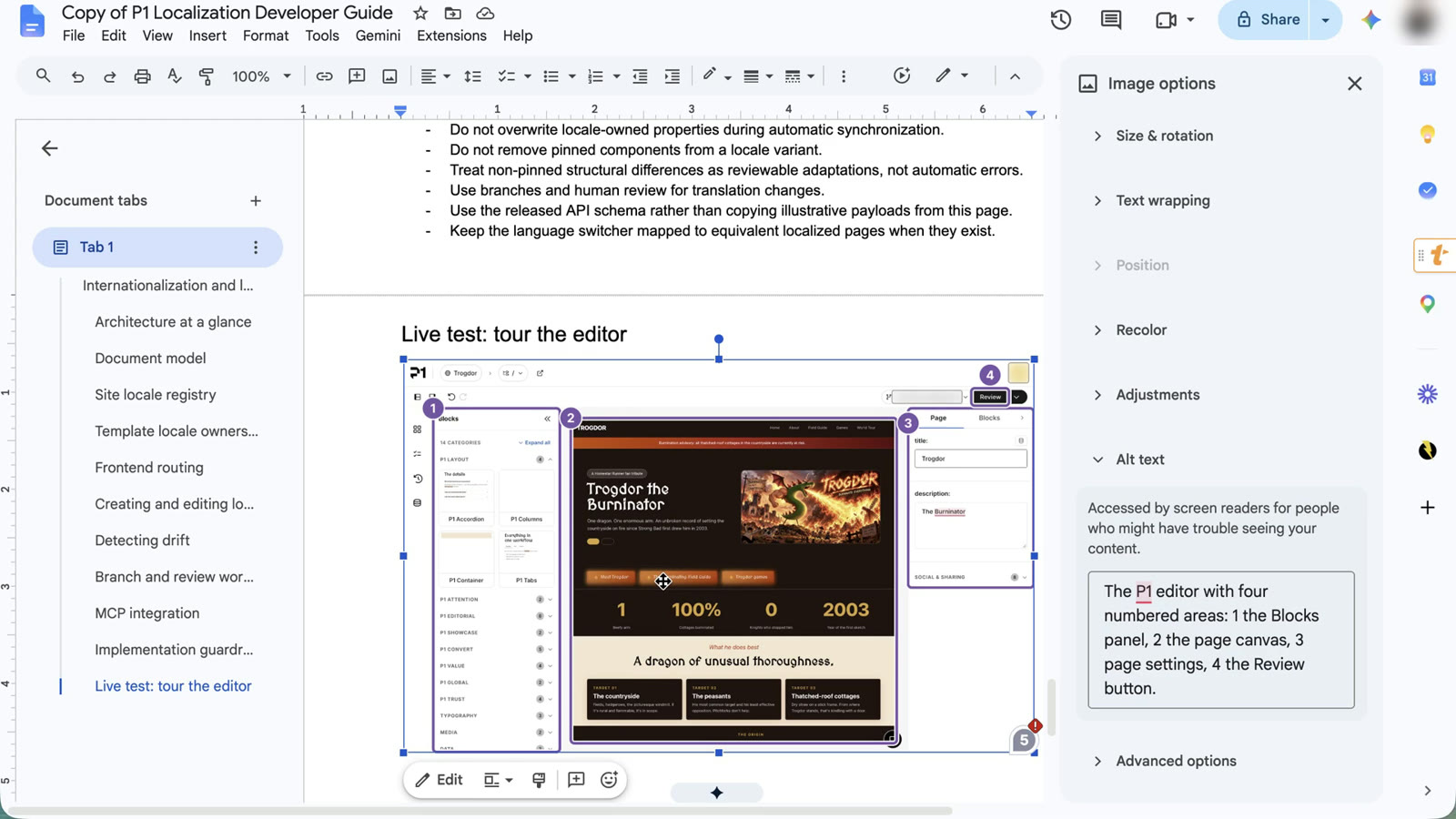
The new image, same place and width, alt text written. - Publish each changed doc from the add-on.
Report statuses and safety rules: Google Docs swap.
Next: Verify and trace.